
Understand the trends behind your ratings.
Review analytics software shows the trends behind your ratings: how volume and rating move over time, how your locations compare on rating, response rate and sentiment, and how your Google Business Profile performs on views, calls, direction requests and website clicks.
Free forever for Google · No card required · Built for service businesses everywhere
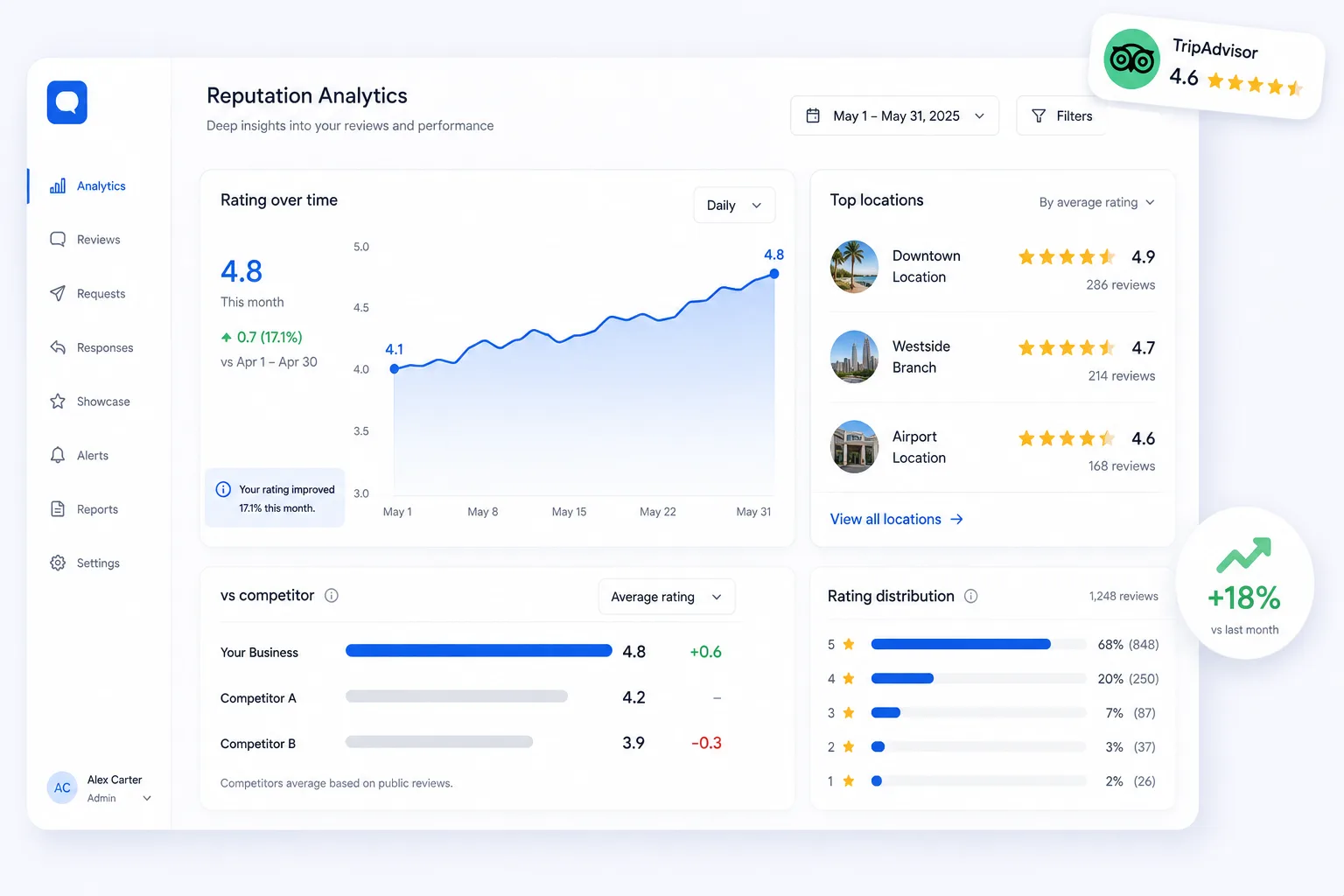
A single star rating hides the real story.
A star rating is a single number that hides almost everything. It cannot tell you whether last quarter was better than this one, which branch is carrying the group, or whether the drop you are worried about is a trend or a bad fortnight. Those answers live in the pattern, not the average.
No trend line
A snapshot rating doesn’t show direction.
Hidden outliers
One weak location can mask or drag the whole group.
Cause unclear
Hard to connect changes you made to results you got.
Turn ratings into insight.
Aggregate
All reviews and ratings come together automatically.
Analyse
Volume, sentiment and trends are computed across time and location.
Decide
Clear trends tell you what’s working and where to focus.
Watch your reputation move.
Ratings and volume are tracked together, because one without the other misleads. A rising average on falling volume usually means you have stopped asking; steady ratings on rising volume is genuine momentum. Seeing both on the same timeline is what turns a number you check into a number you can act on.
- Rating & volume trends
- Sentiment over time
- Before/after on changes
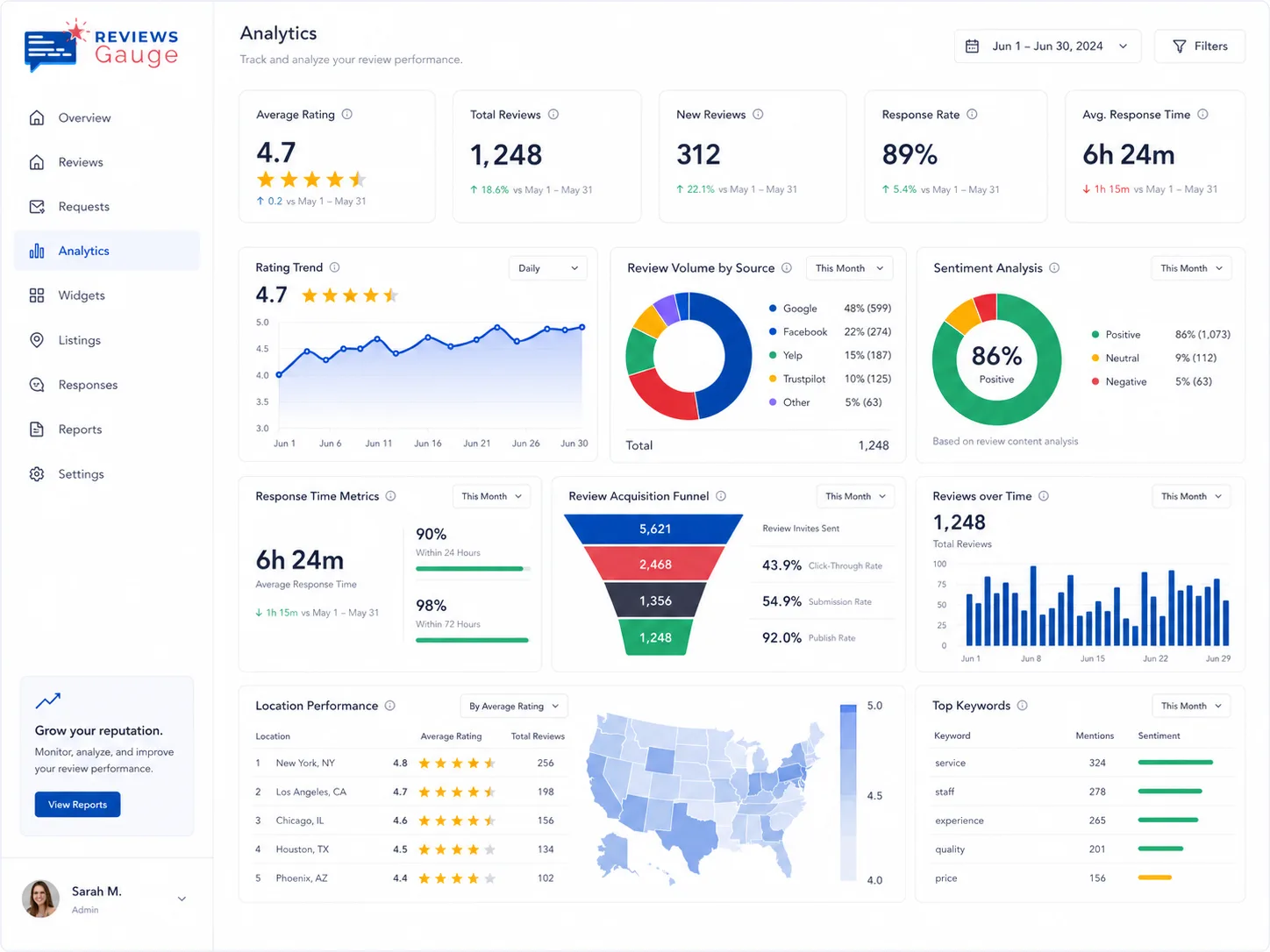
Find the site that needs you.
For groups, a location leaderboard ranks every site by rating, response rate and sentiment, so the conversation moves from opinion to evidence. Google Business Profile insights sit alongside it (views, calls, direction requests and website clicks) connecting how your reputation looks to what customers actually did next.
- Location leaderboard
- Spot underperformers
- Benchmark across the group
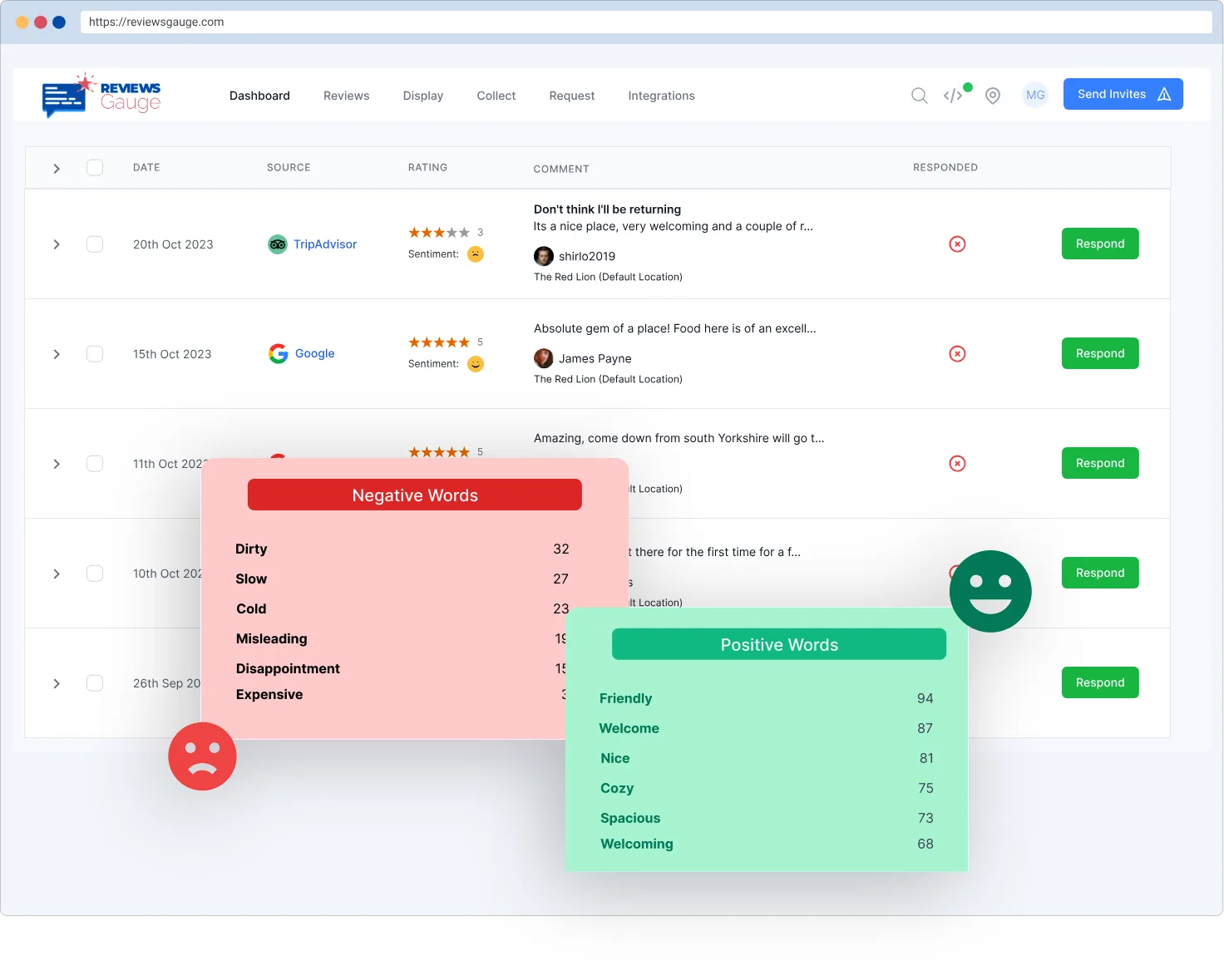
Insight that drives decisions.

Trend tracking
See direction, not just position.

Location ranking
Know which site to fix first.
Google Profile insights
Profile views, calls, directions & website clicks over time.
Better together.

Who uses reputation analytics.
Med Spas & Aesthetics · Beauty & Wellness · Massage & Spa · Restaurants & Cafés · Medical Practices · Hotels & Resorts
Further reading: How to respond to a negative review · Do Google reviews help your ranking? · Automated review requests: how they work and when to send them
Reputation Analytics, answered.
How is this different from the dashboard?
Do you show Google Business Profile performance?
Can I see which location performs best?
Does it connect sentiment to ratings?
How is this different from the dashboard?
Can I see which location performs best?
What Google Business Profile data do you show?
Can analytics tell me why my rating dropped?
How far back does the data go?
What is a healthy review velocity?
Can I export the data?
Last updated